





CI/CD Pipeline Concept: Mastering Efficient Software Development
Do you want to develop software that truly performs—not just on your local machine, but in the real, unforgiving production environment? Then forget waterfall development, Word documents, and release meetings with 14 people. Welcome to the age of CI/CD pipelines. Here, there’s no more debating, just automationAutomation: Der wahre Gamechanger im digitalen Zeitalter Automation ist das Zauberwort, das seit Jahren durch die Flure jeder halbwegs digitalen Company hallt – und trotzdem bleibt es oft ein Buzzword, das kaum jemand wirklich versteht. In der Realität bedeutet Automation weit mehr als nur ein paar Makros oder „Automatisierungstools“: Es ist die gezielte, systematische Übertragung wiederkehrender Aufgaben auf Software oder.... Bugs? We find them in the build, not with the customer. Deployment? Clickless and in minutes. This article doesn’t offer any watered-down agency jargon, but the full picture: Why CI/CD pipelines are the heart of every modern DevOps strategy, how to set them up, which tools you need—and why „Continuous Integration“ and „Continuous Delivery“ are far more than just buzzwords. Ready to master software development? Then read on.
- What a CI/CD pipeline really is – and why it will be indispensable in software development in 2025
- The most important components: Continuous Integration, Continuous Delivery, and Continuous Deployment.
- What a clean pipeline looks like: From code commit to production, step by step
- The best tools for CI/CD pipelines – and which ones you can do without.
- How to avoid typical errors and pitfalls in the CI/CD process
- Best practices for scalable, secure and fast deployments
- Why CI/CD is the backbone for DevOps, containers, and microservices
- A clear guide to building your own CI/CD pipeline
- The bitter truth: Without a CI/CD pipeline, your software development is an anachronism.
CI/CD pipeline. A term as often misused as „agile“ on a junior project manager’s resume. But this isn’t about empty rhetoric; it’s about the harsh reality of modern software development. Anyone still relying on manual testing, click-to-deploy systems, and „it works on my computer“ has missed the boat—and is wasting time, money, and sanity. The CI/CD pipeline isn’t a luxury; it’s the difference between software that runs smoothly and software that explodes in production. In this article, we’ll dissect the CI/CD pipeline concept down to the last commit: the underlying principles, how to set it up properly, which tools are worth the hype, and why continuous integration and continuous deployment are more than just a few colorful arrows in PowerPoint. It’s time to leave your comfort zone—and finally master software development efficiently.
What is a CI/CD pipeline? The concept behind efficient software development
Before we delve into the technical details: What exactly does CI/CD pipeline mean? In short, it’s the automated process by which code moves from development to delivery to the end customer. CI stands for Continuous Integration, and CD for Continuous Delivery or Continuous Deployment. Together, they form the cornerstones of modern software development – and are a major boost to speed, quality, and reliability.
Continuous Integration (CI) means that developers regularly check their code into the central repository (e.g., Git) – ideally several times a day. Each commit triggers automated build and test processes. The goal is to find errors as early as possible, minimize merge conflicts, and keep the team in a stable state. Continuous Delivery goes a step further: After a successful build, the code is automatically deployed to a near-production environment. Continuous Deployment takes it even further – here, after every successful test, the code is pushed directly to production without any manual intervention.
The CI/CD pipeline concept replaces manual, error-prone processes with automated workflows. All steps – from unit tests and integration tests to deployment – are scripted and reproducible. The result: faster releases, fewer bugs, and greater control. And yes, it’s significantly more efficient than what many companies still sell as „release management.“
Why is this concept so disruptive? Because it removes the human bottleneck from the equation. No endless coordination, no Excel release plans, no Friday night deployments. Instead: automated quality assurance, rapid feedback, continuous delivery. Anyone still working without a CI/CD pipeline today is playing software roulette – and usually loses.
The components of a CI/CD pipeline: Continuous Integration, Delivery and Deployment explained
The core of the CI/CD pipeline consists of three interconnected concepts: Continuous Integration, Continuous Delivery, and Continuous Deployment. While they may sound similar, they are technically and organizationally distinct. Anyone who doesn’t understand this isn’t building a pipeline, but a house of cards.
Continuous Integration (CI) is the starting point. Every time a developer commits their code, the build process begins. The code is merged, compiled, and undergoes a battery of automated tests—from unit tests to static code analysis. The goal: to find errors immediately, not just before release. The most important tools here are: Jenkins, GitLab CI, CircleCI, Travis CI, and GitHub Actions.
Continuous Delivery (CD) builds upon integration. After a successful build, the finished artifact is automatically deployed to a staging or test environment. Further checks are performed here – smoke tests, integration tests, and acceptance tests. The key advantage: The current state is deployable at any time. One click, and the code is production-ready. This drastically reduces the time from „feature complete“ to „feature live.“ Typical tools include Spinnaker, Argo CD, and Octopus Deploy.
Continuous Deployment takes the CI/CD pipeline concept to the next level: After successful tests, the code goes into production without any manual intervention. No „go-live meeting,“ no „change request.“ This requires maximum automationAutomation: Der wahre Gamechanger im digitalen Zeitalter Automation ist das Zauberwort, das seit Jahren durch die Flure jeder halbwegs digitalen Company hallt – und trotzdem bleibt es oft ein Buzzword, das kaum jemand wirklich versteht. In der Realität bedeutet Automation weit mehr als nur ein paar Makros oder „Automatisierungstools“: Es ist die gezielte, systematische Übertragung wiederkehrender Aufgaben auf Software oder... and trustTrust: Das digitale Vertrauen als Währung im Online-Marketing Trust ist das große, unsichtbare Asset im Online-Marketing – und oft der entscheidende Faktor zwischen digitalem Erfolg und digitalem Nirwana. Im SEO-Kontext steht Trust für das Vertrauen, das Suchmaschinen und Nutzer einer Website entgegenbringen. Doch Trust ist kein esoterisches Gefühl, sondern mess- und manipulierbar – mit klaren technischen, inhaltlichen und strukturellen Parametern.... in the tests. Faulty deployments are caught through rollbacks or feature toggles. Those who master this deliver multiple times a day—like the big players: Netflix, Amazon, Google.
The technical foundation always remains the same: automated builds, reproducible tests, versioned artifacts, automated deployment. Every step is scripted, traceable, and transparent. Those who are sloppy here risk chaos. Those who are serious build stability and speed into the development process.
What does a clean CI/CD pipeline look like? From commit to production
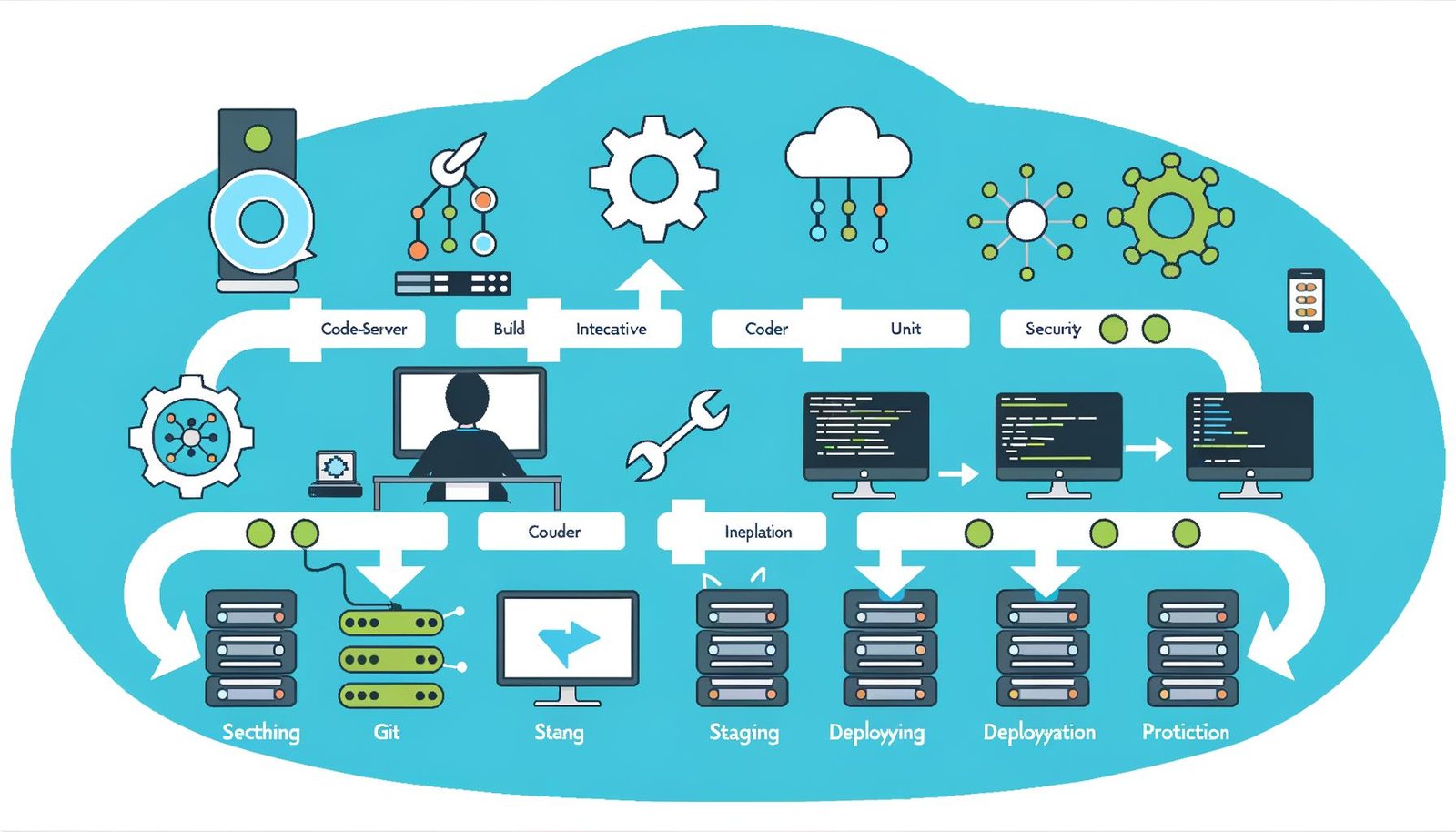
Let’s be clear: A CI/CD pipeline isn’t an abstract architectural diagram, but a hard-nosed, technical process – from code commit to production deployment. Anyone who doesn’t understand the individual steps loses track – and ultimately creates more problems than solutions. Here’s an overview of the most important phases:
- 1. Code Commit: Developers push their code to the central repository (e.g., GitHub, GitLab, Bitbucket).
- 2. Build process: The new code triggers automated builds. Dependencies are resolved, and artifacts are created (e.g., Docker images, JAR files, binaries).
- 3. Automated tests: Unit tests, integration tests, static code analysis, linting. Errors are reported immediately – feedback loop in minutes instead of days.
- 4. Deployment in Staging/Test: After a successful build, the code is automatically deployed to a test or staging environment. Further tests (smoke, integration, UIUI (User Interface): Das Gesicht der digitalen Welt – und der unterschätzte Gamechanger UI steht für User Interface, also Benutzeroberfläche. Es ist der sichtbare, interaktive Teil einer Software, Website oder App, mit dem Nutzer in Kontakt treten – das digitale Schaufenster, das entscheidet, ob aus Besuchern loyale Nutzer werden oder ob sie nach drei Sekunden entnervt das Weite suchen. UI...) are run here.
- 5. Review and Release (for Continuous Delivery): Optionally, business units or QA review the new version. This step is omitted for Continuous Deployment – after successful testing, it goes directly to production.
- 6. Deployment to production: The final step. Automated, traceable, with logging and monitoring. Errors? Rollback or automatic emergency mechanisms kick in.
Every CI/CD pipeline thrives on automationAutomation: Der wahre Gamechanger im digitalen Zeitalter Automation ist das Zauberwort, das seit Jahren durch die Flure jeder halbwegs digitalen Company hallt – und trotzdem bleibt es oft ein Buzzword, das kaum jemand wirklich versteht. In der Realität bedeutet Automation weit mehr als nur ein paar Makros oder „Automatisierungstools“: Es ist die gezielte, systematische Übertragung wiederkehrender Aufgaben auf Software oder... and transparency. Every step is versioned, documented, and repeatable. Code is never deployed manually but always goes through the same process. This minimizes human error, increases traceability, and dramatically reduces the time from development to release. And yes: once you’ve set this up properly, you’ll never want to go back.
The best pipeline? The one no one notices. It runs quietly in the background, catching errors before they reachReach: Die Währung der digitalen Aufmerksamkeit Reach – oder auf Deutsch „Reichweite“ – ist das Buzzword, das in der Online-Marketing-Welt so omnipräsent ist wie schlechte Stockfotos. Doch hinter dem Hype verbirgt sich eine eiskalte Messgröße: Reach bezeichnet die Anzahl der individuellen Nutzer, die eine Botschaft, ein Posting, eine Anzeige oder eine Website tatsächlich gesehen haben. Anders als vage Begriffe wie... the customer – and letting you sleep soundly at night. Provided, of course, that you understand the technology behind it. Otherwise, you’ll eventually create a monster that consumes more time than all your meetings combined.
CI/CD Tools Comparison: What really helps and what you can forget
The selection of CI/CD tools is larger than the feature lists in an SAP workshop. Jenkins, GitLab CI/CD, CircleCI, Travis CI, Bamboo, GitHub Actions, Azure DevOps – every tool promises “end-to-end automationAutomation: Der wahre Gamechanger im digitalen Zeitalter Automation ist das Zauberwort, das seit Jahren durch die Flure jeder halbwegs digitalen Company hallt – und trotzdem bleibt es oft ein Buzzword, das kaum jemand wirklich versteht. In der Realität bedeutet Automation weit mehr als nur ein paar Makros oder „Automatisierungstools“: Es ist die gezielte, systematische Übertragung wiederkehrender Aufgaben auf Software oder....” But not every tool delivers. Those who blindly jump on the hype bandwagon end up dragging around a toolchain that creates more work than it’s worth.
Jenkins is the dinosaur – stable, flexible, but prone to plugin chaos. GitLab CI/CD impresses with its seamless integration of code, build, test, and deployment in a single platform. GitHub Actions is the newcomer, ideal for teams that already manage everything in GitHub. CircleCI scores points for speed, while Travis CI offers easy configuration. Those relying on Microsoft will inevitably encounter Azure DevOps.
The best tools for CI/CD pipelines? Those that integrate seamlessly into your existing infrastructure, guarantee scriptability and repeatability, and adapt to your processes – not the other way around. Containerization (Docker, Kubernetes), Infrastructure as Code (Terraform, Ansible), and monitoring (Prometheus, Grafana) are now essential, not optional. Those who skimp on these will pay the price later with downtime.
Forget tools that only provide pretty dashboards but offer no real automationAutomation: Der wahre Gamechanger im digitalen Zeitalter Automation ist das Zauberwort, das seit Jahren durch die Flure jeder halbwegs digitalen Company hallt – und trotzdem bleibt es oft ein Buzzword, das kaum jemand wirklich versteht. In der Realität bedeutet Automation weit mehr als nur ein paar Makros oder „Automatisierungstools“: Es ist die gezielte, systematische Übertragung wiederkehrender Aufgaben auf Software oder.... A click-together toolkit doesn’t make a CI/CD pipeline. Crucial are robust interfaces, version control, security integrations (e.g., secrets management, vulnerability scans), and scalability. Otherwise, you might have a nice UIUI (User Interface): Das Gesicht der digitalen Welt – und der unterschätzte Gamechanger UI steht für User Interface, also Benutzeroberfläche. Es ist der sichtbare, interaktive Teil einer Software, Website oder App, mit dem Nutzer in Kontakt treten – das digitale Schaufenster, das entscheidet, ob aus Besuchern loyale Nutzer werden oder ob sie nach drei Sekunden entnervt das Weite suchen. UI..., but no reliable deployments.
One last tip: Less is more. A lean, stable pipeline is preferable to a zoo of ten tools that block each other. Scripts that no one understands aren’t automationAutomation: Der wahre Gamechanger im digitalen Zeitalter Automation ist das Zauberwort, das seit Jahren durch die Flure jeder halbwegs digitalen Company hallt – und trotzdem bleibt es oft ein Buzzword, das kaum jemand wirklich versteht. In der Realität bedeutet Automation weit mehr als nur ein paar Makros oder „Automatisierungstools“: Es ist die gezielte, systematische Übertragung wiederkehrender Aufgaben auf Software oder..., they’re technical debt management. Anyone who’s serious about automationAutomation: Der wahre Gamechanger im digitalen Zeitalter Automation ist das Zauberwort, das seit Jahren durch die Flure jeder halbwegs digitalen Company hallt – und trotzdem bleibt es oft ein Buzzword, das kaum jemand wirklich versteht. In der Realität bedeutet Automation weit mehr als nur ein paar Makros oder „Automatisierungstools“: Es ist die gezielte, systematische Übertragung wiederkehrender Aufgaben auf Software oder... relies on standards, documentation, and a clear role concept.
Typical mistakes when building a CI/CD pipeline – and how to prevent them
CI/CD sounds like efficiency, automationAutomation: Der wahre Gamechanger im digitalen Zeitalter Automation ist das Zauberwort, das seit Jahren durch die Flure jeder halbwegs digitalen Company hallt – und trotzdem bleibt es oft ein Buzzword, das kaum jemand wirklich versteht. In der Realität bedeutet Automation weit mehr als nur ein paar Makros oder „Automatisierungstools“: Es ist die gezielte, systematische Übertragung wiederkehrender Aufgaben auf Software oder..., and reliability. In practice, however, many teams fail due to the same mistakes – and end up in the DevOps Bermuda Triangle. Here are the biggest pitfalls that can break your neck:
- 1. Insufficient test coverage: Without automated tests, every pipeline is a shot in the dark. Unit, integration, and end-to-end tests are mandatory – anything less is negligent.
- 2. Manual steps in deployment: Every manual intervention is an invitation for errors. Unversioned scripts? A definite no-go. “Copy & Paste” deployments? Welcome to hell.
- 3. No rollback strategy: Mistakes happen – the only question is how quickly you react to them. Those who don’t integrate a rollback or blue-green deployment risk extended outages.
- 4. Unclear responsibilities: Who is allowed to deploy? Who triggers an alarm? Who documents everything? Without a clear distribution of roles, every pipeline becomes a chaotic experiment.
- 5. Tool Overkill: Every new CI/CD component adds complexity. Integrating every new tool leads to a loss of overview and creates unnecessary sources of error.
How do you avoid these pitfalls? With discipline, technical clarity, and continuous monitoring. Automated tests must be part of every commit—no exceptions. Deployments should only be done via the pipeline, never via SSH or FTP. Rollbacks, feature toggles, and canary releases are not luxuries, but mandatory. And yes: documentation is part of the pipeline. Those who are sloppy here will pay the price later with downtime and debugging marathons.
CI/CD is not a one-off project, but an ongoing process. Continuous improvement, regular reviews, and technical monitoring are all part of the deal. Ignoring this will result in a pipeline that no one understands – until the next complete system failure.
Best Practices: Scalable, secure and fast CI/CD pipelines for true professionals
Ultimately, only one thing matters: Does the pipeline run smoothly, quickly, and securely – or are you constantly dealing with hotfixes? Best practices help you turn the CI/CD pipeline concept into more than just a buzzword. Here are the most important aspects that every pipeline must cover:
- 1. Infrastructure as Code (IaC): Use tools like Terraform, Ansible, or Pulumi to make your infrastructure versionable and repeatable. Say goodbye to manual server configuration.
- 2. Containerization: Docker and Kubernetes are standard. Every environment is identical; deployments take minutes, not days.
- 3. Secrets Management: Passwords, APIAPI – Schnittstellen, Macht und Missverständnisse im Web API steht für „Application Programming Interface“, zu Deutsch: Programmierschnittstelle. Eine API ist das unsichtbare Rückgrat moderner Softwareentwicklung und Online-Marketing-Technologien. Sie ermöglicht es verschiedenen Programmen, Systemen oder Diensten, miteinander zu kommunizieren – und zwar kontrolliert, standardisiert und (im Idealfall) sicher. APIs sind das, was das Web zusammenhält, auch wenn kein Nutzer je eine... keys, and tokens should never be included in the code. Use Vault, AWS Secrets Manager, or Azure Key Vault.
- 4. Security Scans: Automated security checks (e.g., Snyk, Trivy, SonarQube) protect against known vulnerabilities – and should be included in every build.
- 5. Monitoring and Alerts: Without automated monitoring (Prometheus, Grafana, Datadog), errors will only become apparent to the customer. Alerts are as essential to the pipeline as tests.
- 6. Reproducibility and idempotence: Every build, every deployment must be repeatable. Idempotent scripts prevent chaos and ensure that „redeploying“ is not a gamble.
A scalable CI/CD pipeline grows with your product. Feature branches, pull requests, automated reviews, blue-green and canary deployments – everything is possible if the technical foundation is sound. Security should never be an afterthought: Automated penetration tests, dependency checks, and compliance scans are mandatory, not optional.
And finally: speed isn’t everything. Quality, traceability, and transparency are paramount. Focusing solely on „deploying faster“ is creating a breeding ground for errors. The best pipeline is the one that finds errors before they become costly – and allows you to respond flexibly to new requirements.
Step-by-step guide: Building your own CI/CD pipeline
Let’s get down to brass tacks. If you don’t have a pipeline, you need one. Fast! Here’s the roadmap for building a functioning, scalable CI/CD pipeline – step by step:
- 1. Set up a source code repository: GitHub, GitLab, or Bitbucket. Nothing works without a central repository.
- 2. Select build server: Jenkins, GitLab CI, GitHub Actions – depending on team size and requirements.
- 3. Automate tests: Unit tests, integration tests, static code analysis. Every commit, every merge triggers tests.
- 4. Write build scripts: Automated creation of artifacts (Docker images, JARs, etc.), versioned and traceable.
- 5. Define the deployment process: Automated deployment in staging, testing, and production. Include rollback mechanisms!
- 6. Integrate monitoring and logging: Prometheus, Grafana, ELK Stack – keep an eye on errors and performance.
- 7. Implement security: Automate secrets management, security scans, and compliance checks.
- 8. Maintain documentation: Every pipeline, every script, every configuration must be documented. For you – and for everyone who comes after you.
- 9. Regular Reviews: Regularly review, optimize, and adapt the pipeline to new requirements.
- 10. Create a culture: CI/CD is not a tool, but a team culture. Training, feedback, and an open culture of learning from mistakes.
Those who follow these steps carefully will not build a pipeline on sand, but a stable foundation for any kind of software development – from legacy monoliths to cloud-native microservices.
Conclusion: Without a CI/CD pipeline, your software development is outdated.
CI/CD pipelines are not the future, but the present of modern software development. They automate debugging, quality assurance, and deployment – putting an end to release panic, all-nighters, and „it works on my computer“ excuses. Those who work without CI/CD lose speed, quality, and potentially fall behind the competition. The underlying technology isn’t rocket science, but solid craftsmanship – though it demands discipline, expertise, and the courage to automate.
Ultimately, the CI/CD pipeline concept is more than a technical framework – it’s a mindset. Errors are no longer hidden, but automatically detected. Deployments are no longer adventures, but routine. Those who understand this deliver better software, faster and more reliably. The rest? They’re just putting on a DevOps show – until the next customer abandons them.